How to sign a PDF online
To sign a PDF online, upload it to an e-signature tool, add who signs, place the signature boxes and send. Each signer opens a private link, confirms a code sent to their email and signs on any device. Here is how it works in FD Sign, step by step.
Send a PDF for signature in four steps
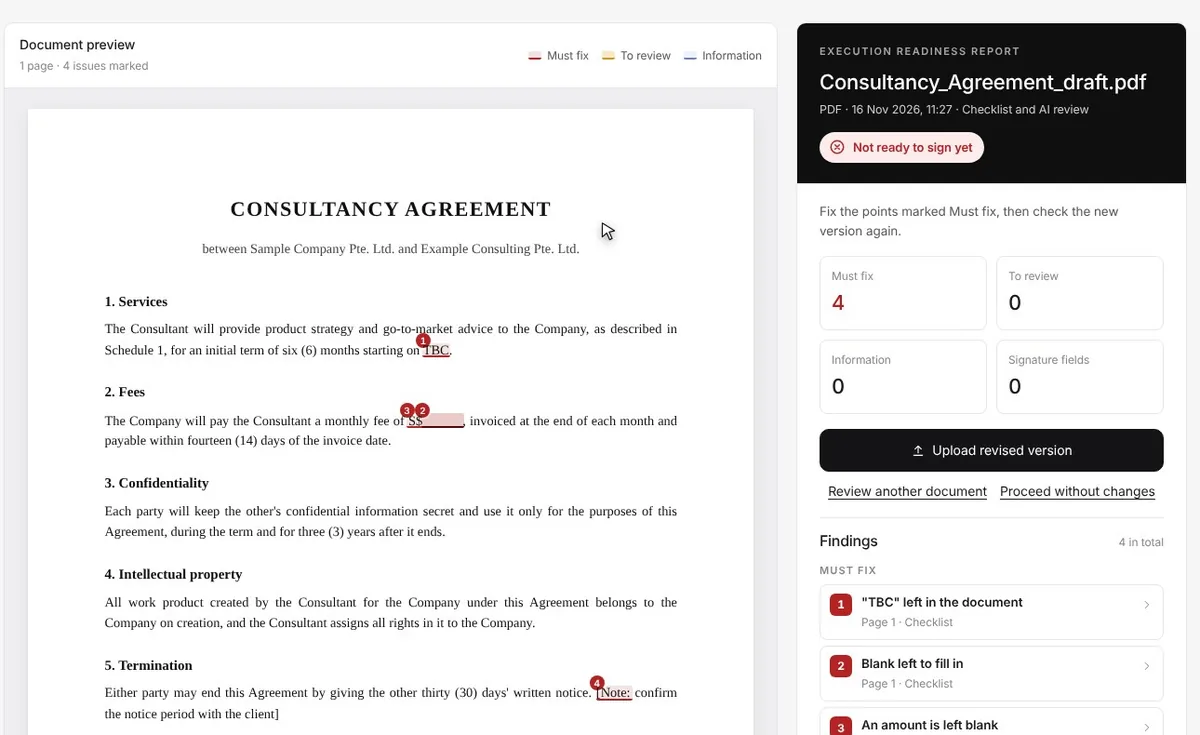
Upload the file and check it is ready
Upload a PDF or Word file. FD Sign's signing-ready check reads it first and flags what should not be signed yet: blanks, placeholders, notes left in the draft and tracked changes. Fix them, or carry on.
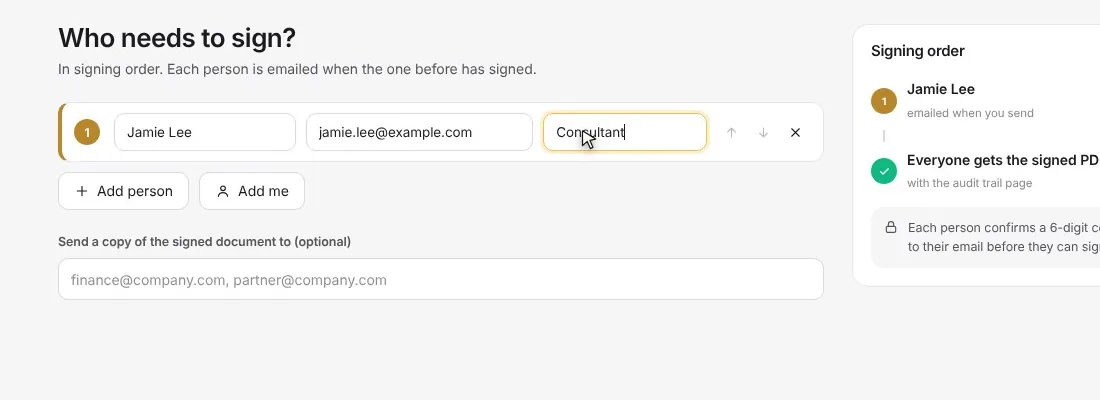
Add who signs
Type each signer's name and email, and set the order they sign in. Signers do not need an account. Need to sign it yourself? Press "Add me".
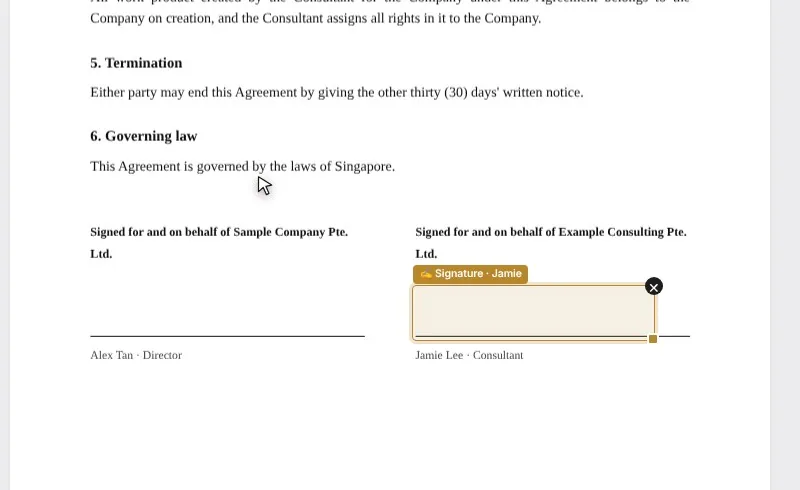
Place the signature boxes
FD Sign finds the signature block and puts each signer's box on the right line. Drag a box to move it, and add boxes for dates, names, initials, text or a tick where you need them.
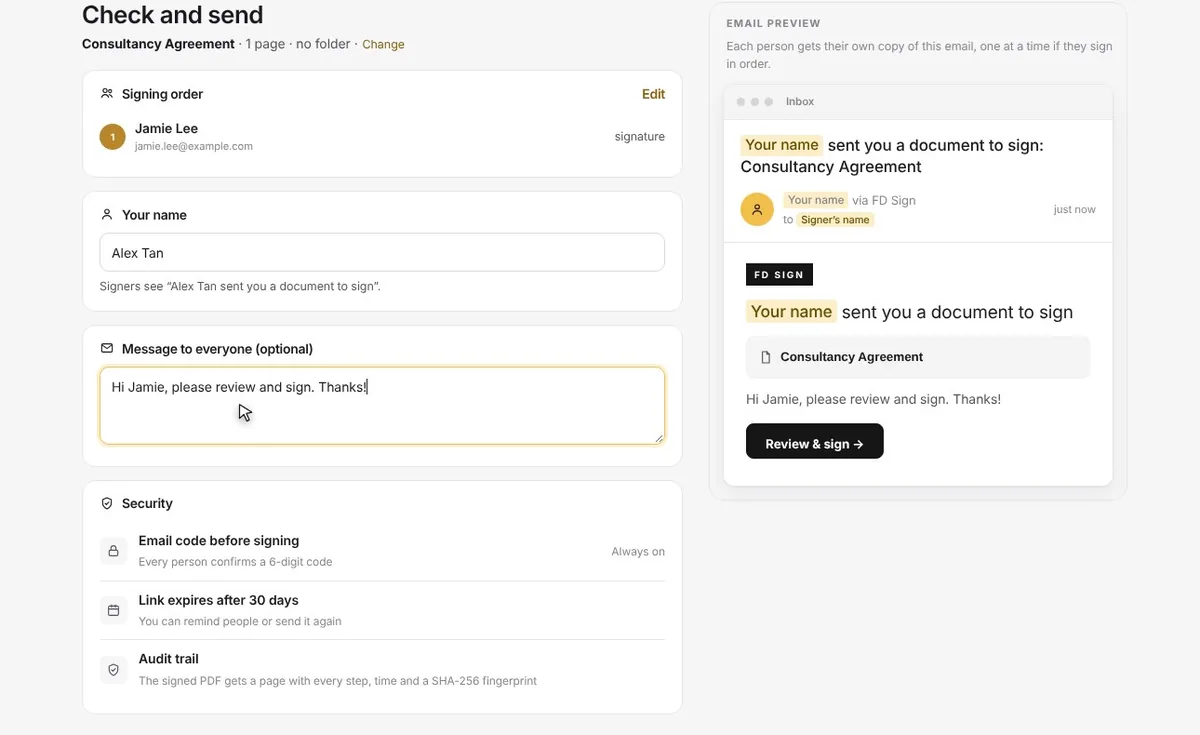
Review and send
See the email your signers will get, add a short message and send. Each signer gets their own private link.
How the other person signs
No app and no account. It works on a phone, a tablet or a computer.
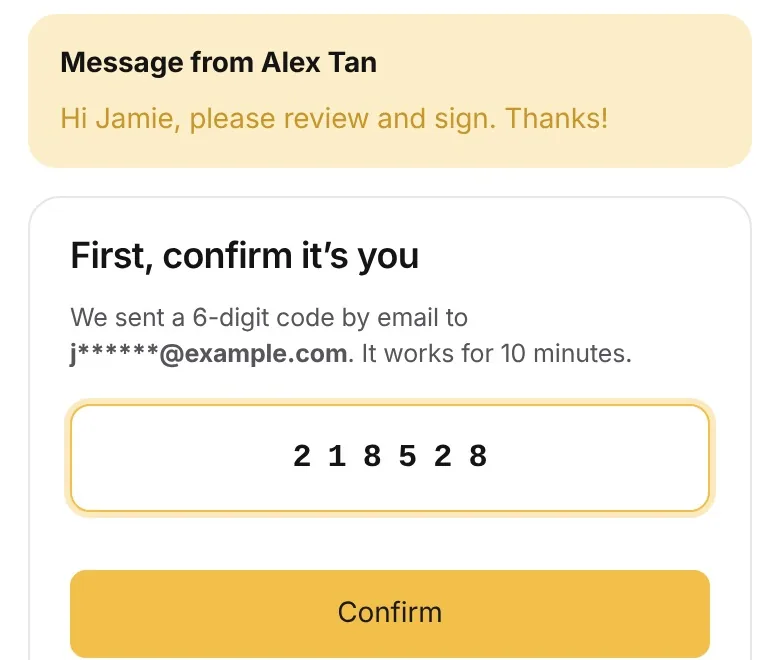
Open the link and confirm the code
The signer opens the link in their email. FD Sign sends a 6-digit code to the same address, which they enter to show the email is theirs. The code lasts 10 minutes.
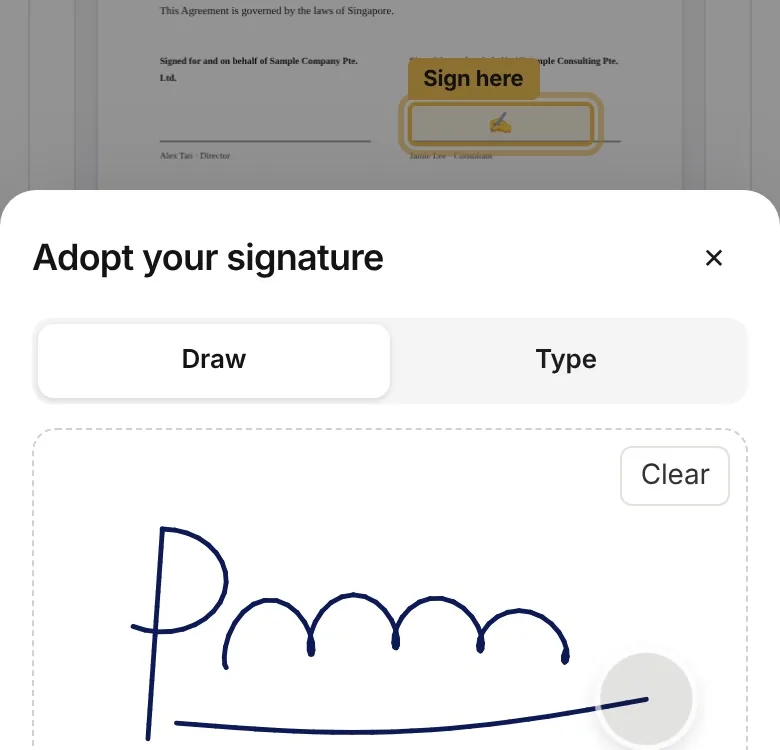
Draw or type a signature
The signer reads the document, agrees to sign electronically and draws their signature with a finger or types it.
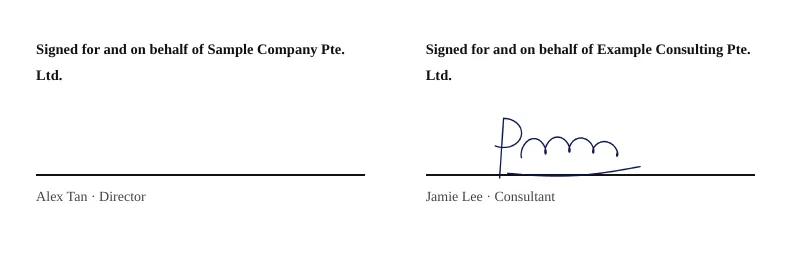
Finish
They press Finish. When everyone has signed, each person gets the signed PDF by email.
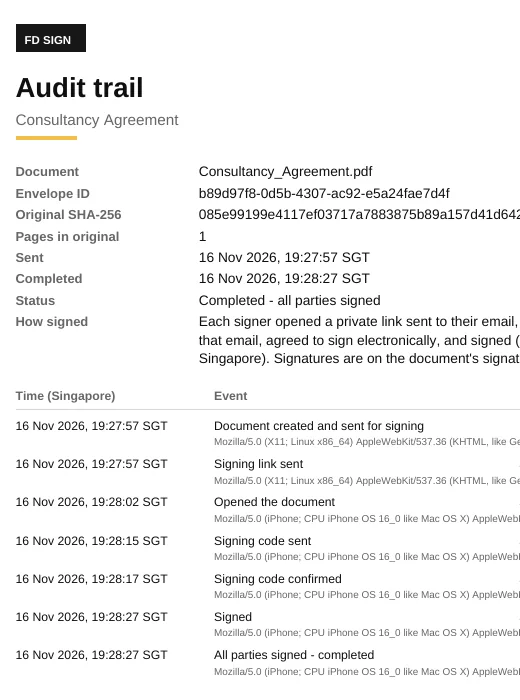
What you get back
The signed PDF comes with an audit trail page, so you can show who signed, when, and which version.
- Who
- Each signer opens a private link sent to their email and confirms a 6-digit code sent to the same address before signing.
- Intention
- The signer reviews the document, agrees to sign electronically and adopts their signature before it is placed.
- Which version
- The SHA-256 fingerprint of the original file is recorded, so any later change to it can be detected.
- When and how
- Every step (sent, opened, code confirmed, signed) is logged with its time, and each signer's steps with their IP address and browser, in an audit trail attached to the signed PDF.
Before you send: a short checklist
- Send the final version only: no blanks, placeholders or tracked changes.
- Make sure the right person signs, with the authority to sign for their company.
- Check the document can be e-signed. In Singapore, wills, deeds between parties, powers of attorney and documents that sell or transfer land still need a traditional signature.
- If the contract itself says it must be signed in ink, follow it.
Common questions
Is it free to sign a PDF online?
With FD Sign, the people you send a document to never pay and need no account. For the sender: first week free, up to 10 signing requests, then plans from S$7.15 a month.
Can I sign a PDF on my phone?
Yes. Open the link from the email, enter the code and sign with your finger. There is no app to install.
Can I send a Word document for signing?
Yes. Upload a Word or PDF file. The signed copy comes back as a PDF with its audit trail.
Is a PDF signed online legally valid?
For most contracts in Singapore, yes. The Electronic Transactions Act 2010 says an electronic signature meets a legal need for a signature when the method identifies the signer and shows they meant to sign. A short list of documents, such as wills and land transfers, is excluded.
How do I know the right person signed?
Each signer gets a private link at the email address you entered and must confirm a 6-digit code sent to that address before signing. The audit trail records each step with its time, IP address and browser.
Can several people sign the same PDF?
Yes. Add each signer and set the order. Each one is emailed when the person before them has signed, and everyone gets the signed copy at the end.
Related
Send your first document for signing
First week free, up to 10 signing requests. Signers need no account: a private link, an email code and an audit trail on the signed copy.
This page is general information, not legal advice. Every deal is different — for advice on your situation, talk to a Founders Doc lawyer.